
Don’t Let Other People Put Limitations On you on What You can or Can’t Do. Karim Barakaa.
Have you ever wondered how many potential customers visit your website, look around, and leave without ever making a purchase?
It happens more often than you might think.
You spend time creating content, driving traffic, building landing pages, and promoting your products. People are visiting your website, but here’s the big question:
Are you doing enough to turn those visitors into paying customers?
One simple strategy that can help improve your website conversions is using Live Chat.
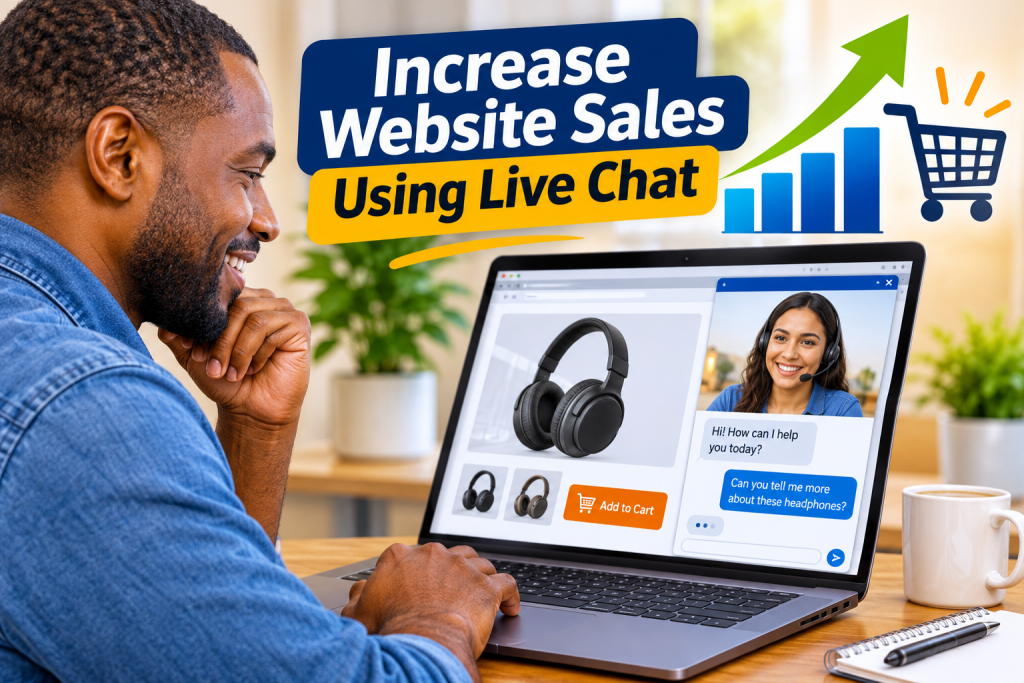
And here’s something interesting: You don’t have to wait for visitors to contact you first. You can actually set up your live chat software to automatically start a conversation when someone visits a specific page on your website.
Let’s look at how this works.
1. Don’t Just Attract Website Visitors. Engage Them!
Think about visiting a physical store.
You walk through the door, look at a product, and start considering whether you should buy it.
A helpful salesperson approaches and asks:
“Hi! Can I help you find anything today?”
That simple conversation might answer a question, remove an objection, and help you make a buying decision.
Your website can work the same way.
The difference is that instead of having a salesperson standing in your store, you can use live chat to create that personal interaction online.
When visitors have questions, concerns, or need additional information, live chat gives them an opportunity to get assistance without having to leave your website.
That’s a big advantage!
2. Identify Your Highest-Converting Website Pages
Here’s where this strategy gets really interesting.
Most websites have certain pages that receive more attention and generate more engagement than others.
For example:
- Your product sales page.
- Your pricing page.
- Your special offer page.
- Your product review page.
- Your landing page.
Some of these pages may attract visitors who are already interested in purchasing what you’re offering.
These are what marketers call high-intent pages.
Instead of treating every website visitor the same way, focus on the pages where people are most likely to make a buying decision.
Your website analytics can help you identify which pages receive the most traffic, engagement, and conversions.
Once you identify those pages, you have an opportunity to use live chat more strategically.
3. Use Automated Live Chat Triggers
This is the strategy I really want you to pay attention to.
Many live chat platforms allow you to create automated triggers.
What does that mean?
You can configure your live chat software to automatically display a welcome message when someone visits a particular page.
For example, let’s say your product sales page receives a lot of traffic.
You could create a trigger that activates when someone visits that page and spends a certain amount of time browsing.
A message could automatically appear saying:
“Hi there! Thanks for checking out our offer. Do you have any questions I can help you with?”
Or perhaps:
“Welcome! Would you like to learn more about how this product works?”
Notice what you’re doing here.
You’re not aggressively pushing someone to buy.
You’re simply opening the door to a conversation.
And sometimes, that conversation is exactly what a potential customer needs before making a purchasing decision.
Want to explore tools and resources that can help improve your online marketing? Take a look here:
https://karimbarakaablog.com/0cgi
4. Create Different Messages For Different Website Pages
Here’s another useful tip.
Don’t use the exact same automated message on every page.
Make your messages relevant to what visitors are looking at.
For example:
On your pricing page:
“Have questions about our pricing options? I’m happy to help you find the right solution.”
On your product page:
“Would you like to know more about what this product can do for you?”
On your checkout page:
“Need any assistance completing your order? Let us know. We’re happy to help.”
On your special offer page:
“Thanks for checking out our special offer! Is there anything you’d like to know before getting started?”
The more relevant your message is, the more natural the conversation feels.
You want visitors to feel that you’re there to help them, not interrupt them.
5. Don’t Make Live Chat Annoying
There’s one important thing to remember.
Just because you can automatically trigger a conversation doesn’t mean you should bombard every visitor with pop-ups.
Timing matters.
For example, you might configure your live chat to wait 30 to 60 seconds before displaying a message on a product or pricing page.
You can also experiment with triggers based on returning visitors, shopping cart activity, or other visitor behaviors.
Here are a few best practices:
- Give visitors time to explore your page.
- Keep your opening message short and friendly.
- Avoid displaying multiple chat invitations.
- Make it easy for visitors to dismiss the message.
- Make sure someone can respond when a visitor starts chatting.
- If you’re using automation or a chatbot, be transparent about it.
Remember, the goal is to improve the customer experience.
A helpful conversation can build trust. An annoying interruption can do the opposite.
6. Measure Your Results And Improve Your Strategy
One of the biggest mistakes website owners make is setting something up and never checking whether it’s working.
Don’t make that mistake.
Pay attention to the numbers.
Here are some things you should monitor:
- How many visitors see your live chat invitation?
- How many visitors actually respond?
- Which pages generate the most conversations?
- What questions do potential customers ask?
- How many conversations lead to sales?
This information can help you understand what your visitors need and where they might be experiencing difficulties.
You can then improve your automated messages, adjust your triggers, and make changes to your website.
Over time, you’ll have a better understanding of how live chat contributes to your sales process.
7. Turn Your Website Into A More Interactive Sales Experience
Here’s the bottom line.
Getting traffic to your website is important, but traffic alone doesn’t guarantee sales.
You also need to create opportunities to engage visitors, answer questions, build relationships, and help potential customers make informed decisions.
Live chat gives you another way to accomplish that.
Instead of allowing interested visitors to browse your website without interacting with anyone, you can use automated triggers to invite them into a conversation at the right moment.
Think about it.
Someone could be sitting on your pricing page wondering whether your product is right for them.
A simple, helpful chat invitation could give them the opportunity to ask a question they might otherwise have left without asking.
That’s the power of proactive engagement!
Final Thoughts: Start Turning More Website Visitors Into Conversations
If you’re serious about improving your website sales, consider adding live chat to your marketing strategy.
Start small.
Identify your most important sales page, install a live chat solution, and create one automated trigger that invites visitors to ask questions.
Monitor the results and make improvements as you learn more about your audience.
You don’t necessarily need more website traffic to improve your sales process.
Sometimes, you simply need to do a better job of engaging the visitors you already have.
And that’s a strategy worth exploring!
Ready to discover more ways to improve your online business and marketing efforts?
Visit my website and explore the resources I’ve put together to help you move forward.
👉 https://karimbarakaablog.com/0cgi
Here’s to more conversations, stronger customer relationships, and more opportunities to turn website visitors into customers!
To Your Success,
Karim Barakaa